Showing posts with label project work. Show all posts

Friday, 8 September 2017

Intercultural Project Based Learning for Students

This is a fantastic idea for creating intercultural exchange projects with students from different schools around the world.

The site has a really wide variety of really interesting projects that you can choose from and they are really well designed and structured with learning goals, levels and age appropriacy clearly sign posted.

In order to register on the site as a teacher you have to be located at a physical school which you identify when you sign up.

Once this is done you can select your project and get your students registered using a class code that you find on your dashboard.

The site automatically matches your class up to another class somewhere around the world. Class match ups are done every Monday.
Then your students will need to commit 30 - 45 mins each week for the length of the project (usually about 6 weeks)

All the materials are provided and the students just need a device (the service works on most devices) and an internet connection.
You can find out more about the details here: https://www.penpalschools.com/faq.html

PenPal Schools is free for the first 5 teachers at any school, after that the school has to buy a licence.

This looks like a really cleverly designed way to get your students engaging with other schools around the world.

You can find links to many more tools like this and activities for the digital classroom in my ebooks at: http://peacheypublications.com/. All my ebooks are available for iOS and as PDF.


Sign up for my twice monthly free newsletter and get a free copy of Digital Tools for Teachers at: https://tinyletter.com/technogogy/ 

My eBooks:

Best
Nik Peachey

Saturday, 19 August 2017

Creating Text Adventures to Develop Reading & Writing Skills

Text adventure games are a great way of really engaging students in reading. They get the chance to take some control of the narrative and find their own way through the story by making choices at various points in the narrative.
On the ‘TextAdventures’ site you can find lots of examples for your students to read, but if you log in you can also get your students to create an adventure themselves. You can give them an image and an introductory text to get started and tell them how many different stages the story should have, then get them working together exploring the different branches and possibilities at each turn. You can download the software to help you or develop the story in the browser and publish it on the site.


TextAdventures is great tool for collaborative writing projects and great to get students thinking about the potential consequences of different actions. I hope you find it useful. You can find links to many more tools like this and activities for the digital classroom in my ebooks at: http://peacheypublications.com/. All my ebooks are available for iOS and as PDF.


Sign up for my free twice monthly newsletter and download a free copy of Digital Tools for Teachers at: https://tinyletter.com/technogogy/ 

Related links:
 Best

Nik Peachey

Tuesday, 10 February 2009

Simple Tool for Collaborative Writing

I've just been having a quick look at writewith, a nice simple tool for collaborative writing. It looks like it could be a nice tool for process writing classes. You either create or upload a .doc and then give other users the right to edit it or change it is some way. Their edits show up highlighted and various versions along the way are stored so you can always track back to see who has done what.
I know you can do all this and more with Google Docs, but writewith looks simpler, and simple is always good in my book, and doesn't require that you have a Gmail account of any kind, though it does require registration.

It's also quite easy to specify different tasks and also set deadlines by which time they should be done, so that would seem to work really nicely with the kind of work flow you could set up to get your students written homework done and marked online.

Another nice feature is that you don't have to have a word .doc, you can just start typing your text in online and then just save it. The interface has all the normal formatting tools you would expect on a standard word processor too and you can even switch to an html view which I guess means you can add code and embed other online objects into the page.

There's a short video clip from the creators here showing the basics of how it works. Also wort checking out is the FAQ section which tells you in a little more detail what it can do and how to do it.


Hope it works for you.

Related links:
Best

Nik Peachey

Wednesday, 31 December 2008

Creative Commons Images

Fotonauts must be one of the most attractive photo sharing websites I've seen for a long time and it is especially good because of the focus on using creative commons licensed images.

There are some beautiful images from all over the world and each album has information about the topic and links to Google maps so you can see where the image comes from.

The site is beautifully designed with a really nice interface and slide show feature. You can also create widgets of the slide shows to embed into web pages (I couldn't actually get this to work on mine though).
If there's a problem with the site then it's the lack of a search tool, which seems a strange omission on a site aimed at organising and sharing images! Fotonauts is still in beta though, so perhaps this will soon be resolved.

This is a site that must be worth keeping an eye on if you use images regularly in your teaching.

Hope you enjoy it.

Related links:
Best

Nik Peachey

Wednesday, 10 December 2008

Coffee With Kim Anubis

This Sunday 14th December (GMT 18.00 = 10.00 PST) will see the third in our series of 'Coffee With ..' educational chat shows on Edunation III in Second Life, so please do come along, join our audience and meet other people interested in developing education and learning within Second Life.


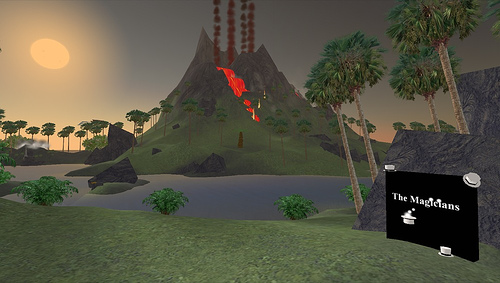
In this show I'll be interviewing Kim Anubis (aka: Kimberly Rufer-Bach) is owner, designer & producer of The Magicians (www.TheMagicians.us), a 3D interactive software development company that specializes in creating innovative Second Life content.

Kim is also co-author of 'Creating Your World: The Official Guide to Advanced Content Creation for Second Life'. Some of her company's clients include:
In the show Kim will be talking about the potential of Second Life for educational development and will be helping us to understand what's involved in working with a development company and managing projects within Second Life.

This is a unique opportunity to come along an interact with one of the leading developers within Second Life.

If you would like to come along and watch the show and join in the discussion, then go along to Edunation III and click the sign-up terminals or email Gavin at: dudeney@theconsultants-e.com. The event is free, but we are limited to 100 places. The show starts at GMT = 18.00 (GMT is 8 hours ahead of Second Life time, so that's 10.00 PST and 19.00 CET)


If you don't have a Second Life avatar but would like to know how to set one up then you can download instructions from here. Setting up a Second Life avatar

Related links:
Best

Nik Peachey

Thursday, 11 September 2008

Publishing Multimedia Projects

I'm always looking for interesting free tools for multimedia project work and I recently stumbled across a very nice one called Museum Box. It describes itself as providing 'the tools for you to build up an argument or description of an event, person or historical period by placing items in a virtual box".

To use the site you need first to collect up your various media. You can upload videos , images , audio files, collect links and add documents.

All of these are uploaded to sectioned boxes, and each section of the box is a cube with 6 sides to which you can add your media.


When the box is finished you can publish and share the results and users can view the different sections of the box.
I think this is a wonderful idea and a great way of publishing your students' work. There are already quite a collection of boxes on the site, which students might find interesting.

The projects don't have to be historical, you could create a box with a section for each member of your class, or students could create boxes about their local city or environmental problems.

Hope you enjoy this and find it useful.

Related links:

Best

Nik Peachey

Wednesday, 16 July 2008

Student Made English Advertisements

I spotted this blog earlier this week on the webheads discussion list and decided that I had to share it. The blog is called English Advertising Class and is managed by Aiden Yeh .

The blog hosts a remarkable collection of advertisements made by students of English as a foriegn language. The topics of the advertisements vary greatly and many of them are like public service broadcasts, but they are great examples of student creativity using various digital mediums.

I also really like that many of them include the 'storyboards' that the students used to plan and design the advertisements.


This would be a really nice site to include in an advertising project like the one I suggested back in one of my March 08 postings Advertisement project

Great stuff and a real credit to Aiden. Hope you find time to check it out and that you find it useful to inspire your own students.

Best

Nik Peachey