Showing posts with label authentic materials. Show all posts

Tuesday, 28 April 2020

Ready to Run with authentic video lessons that are classroom-ready for levels A1 - B2

Over the last decade, video has become one of the key drivers of online learning and nowhere more so than in language learning. It has the power to reach beyond words and sounds and show students a range of non-verbal communication features as well as taking them to places and peoples around the world that they may never be able to access physically.
Despite the power of video, one of the greatest difficulties of using authentic video with language students has always been level. Authentic video has often been seen as too challenging for lower-level students, and much of the graded, made for language teaching material is so cringingly inauthentic that it is almost too embarrassing to use, especially for teenagers and young adults.

Finally, though it looks like Digital Learning Associates (DLA) have solved the problem with their award-winning Ready to Run series of videos and learning materials.

The Ready to Run Videos
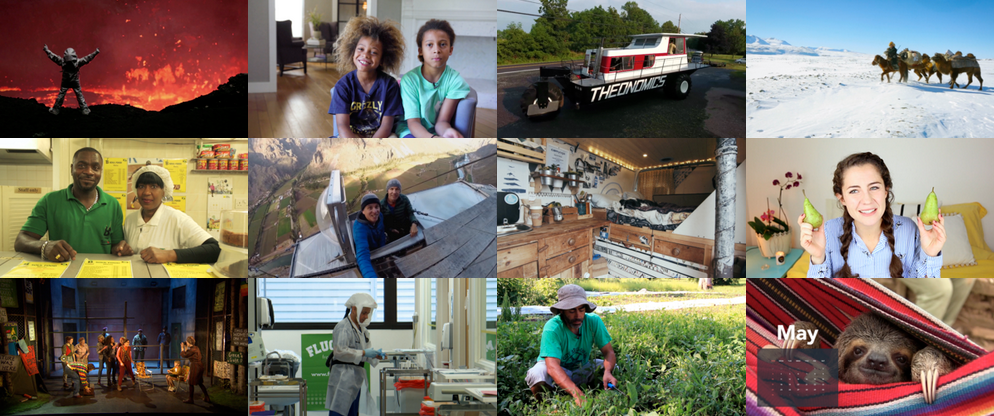
If you check out the Ready to Run catalogue you’ll see that they have a great range of really diverse, inclusive and most importantly interesting videos that cover a really broad range of geographies, topics, cultures and lifestyles.
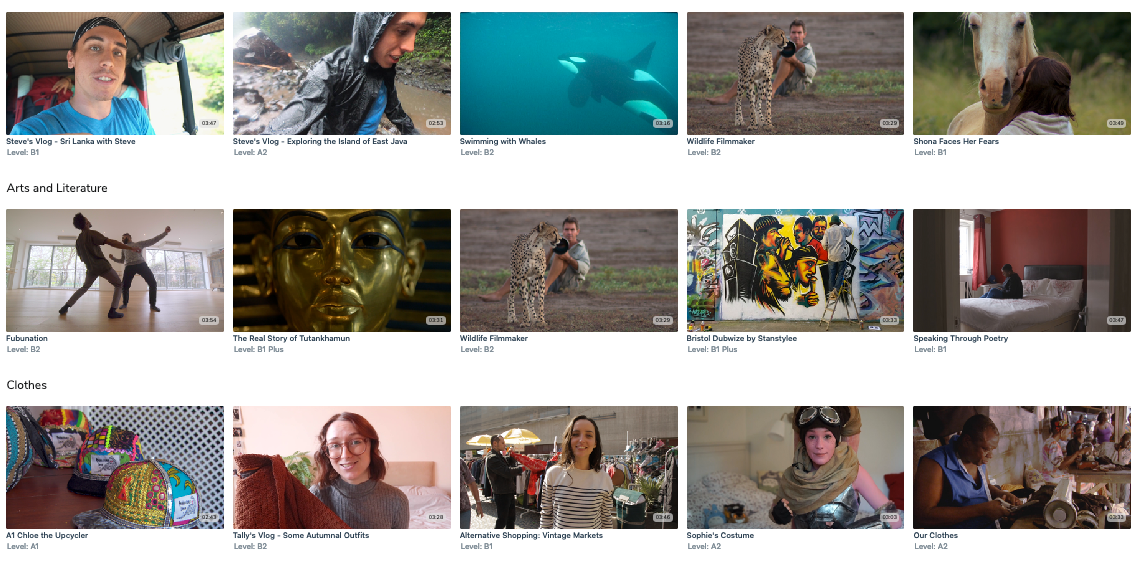
The videos have been categorised using the CEFR so it’s really easy to find the ones that are appropriate for the level of your students and there is a range of video at each level from A1 up to B2.

The videos are professionally produced with really high-quality camera work and audio and as I mentioned earlier they are engaging enough to hold the attention of a native speaker solely on the interest level of the content.

The Teaching and Learning Materials
The series is entitled Ready to Run and it is exactly that. Most of the videos have PDF materials that you can download and use immediately with your students as well as a teachers guide and copies of transcripts.

Another of the great things about the videos is that it’s also possible to open the captions so that students can read the transcript as the watch and for students who are really struggling the settings allow you to slow the video down.
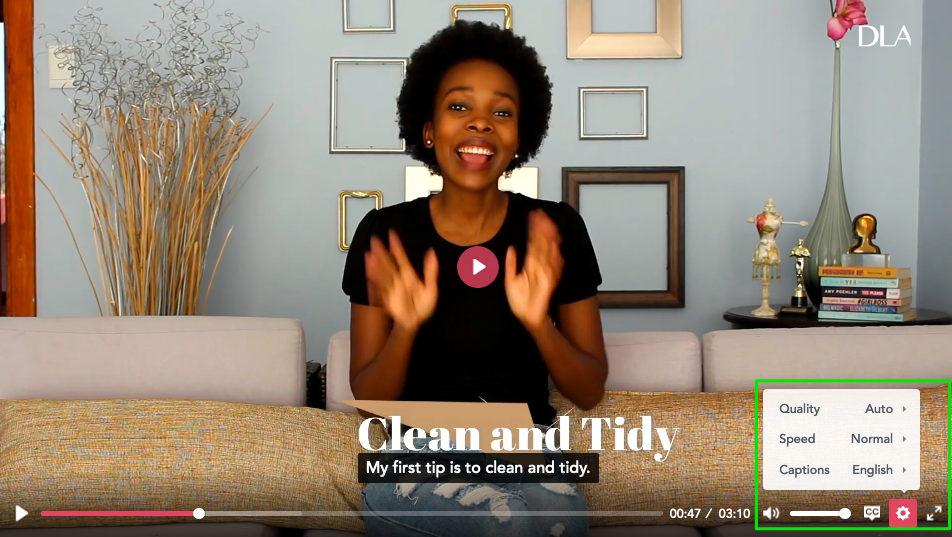
Here’s an example video from a South African Vlogger. The video is about what she’s doing to pass the time during the lockdown.
https://readytorun.digitallearningassociates.com/programs/bokangs-vlog-in-quarantine-keeping-busy-at-home

Subscriptions
Ready to Run is a subscription service with a range of subscription packages.
  • Video Star - Which is free and gives you access to 10 videos with lesson materials from a range of levels. These are updated with new content every month.
  • Video Pro - Which gives you access to 35 units of material ranging A1 to B2. At present, you can also get the Video Pro package for free for the duration of the COVID-19 pandemic.
  • Video School - This gives you and the teachers at your school unlimited access to the complete catalogue for £79 a month.

Finally, if you check out the Ready to Run blog you’ll also see some interesting postings about how to use the materials online for virtual teaching as well as some posts about new and upcoming content.

So whether you are teaching online or looking forward to getting back into the classroom now is a great time to sign up and get some really interesting and engaging materials that can save you hours of preparation.

More Teache Resources
You can find links to many more resources like this and activities for the digital classroom in my ebooks at: https://payhip.com/peacheypublications
To sign up for my free newsletter and get a free copy of Digital Tools for Teachers go to: http://eepurl.com/dtgL79
Check Out My Books:
Best
Nik Peachey

Tuesday, 18 December 2018

Create Reading Activities from Authentic Text in Minutes with Quillionz


As teachers, we are constantly hearing about the wonders of AI and how it will take over education and make all of our lives easier.

Well here finally is a genuine example of something we can use to save time and effort. Quillionz is an AI-powered question generator that can help you to take any text from anywhere and create a range of comprehension or test questions around it.
All you need to do to get Quillionz to generate your questions is register and the find the text you want to use.

You can copy-paste your text (anything between 300 and 3000 words) into the Quillionz editor, give it a title, select a domain (the domain is the area of study) from the drop-down menu and then click on ‘Proceed’.
It will then suggest some keywords from the text that you can choose from. Selecting these keywords will help to direct the focus of the questions towards the things that you think are most important from the text.
Then click on ‘Proceed’ again and the AI-powered platform will analyse the text and highlight any areas in the text where it could be improved for better clarity. 

Finally, click on ‘Get Question Ideas’ and the site will generate a large selection of possible questions for your text.

It can create three different types of questions:
  • Short answer
  • Multiple-choice 
  • Recall
(Recall questions are ones with a sentence and a space that students have to complete.)

Once you have the question you can read through them, delete the ones you don’t want and edit any that aren’t quite right.
Then you can save it to your dashboard to use again and simply download it as a text file.
The text file comes complete with answers so you can keep that as your answer key and copy and paste the questions into a worksheet for students.


Using Quillionz you can now find interesting and current texts and turn them into activities in minutes. This is another great step away from the ones size fits all textbook and a great tool for enabling teachers to create content that is suitable and relevant to their student's lives and interests. You could even get students to register and create reading tasks for each other.

I hope you enjoy using Quillionz with your students.

Thursday, 30 August 2018

WordBooster - For Creating Learning Around Authentic Text

When technology first came along we were all told that it would save us time and make our lives easier, and yet here we are many years later working harder than ever.

Well at least there is WordBooster that really does live up to the hype, save time and deliver excellent results.You can convert an article into a learning activity with glossary and vocabulary building tasks in less than five minutes.

WordBooster is the ideal tool if you want to use authentic materials to build your students’ reading skills and vocabulary. It enables you to quickly generate a glossary and some vocabulary building activities based around your choice of words from the text.

How to create a vocabulary building worksheet


  • To create your activity, register (for free) and then paste either the text or the URL into field and click on ‘GO'.

  • Wait a few moments and you will be able to format and edit the text.
  • When you’re happy that the text looks good and is  ready print, click ‘GO' again and you’ll see some suggested words and expressions to include in your activities.
  • Click on the word or phrase you want to include in your activity and you’ll get some options for the definitions of the word you include.
  • Click on the correct definition then click on ‘Accept' and the word and definition will be added to your worksheet.
  • Once you have all the words you want to include, click on ‘Done’. You can then download the text as PDF.
  • Click on 'VOCAB LIST' and you will see and be able to download the glossary.
  • Finally, click on ‘QUIZ' and you’ll be able to configure the types of questions you include in your vocabulary quiz. You can easily change the types of question. Then click on ‘Create Quiz as PDF' and you will be able to download the quiz and answer key.
All the the texts you use are stored in your profile so it’s easy to go back and reuse them or create new versions for different classes or revision for the original class.

All the worksheets also include a short link and QR code that takes students to the original article online, so if you want students to do their reading from the screen while they work on the activities, that’s also easy to do.

WordBooster really is a great tool for saving teachers time and effort and creating professional looking materials. It’s especially good for anyone working in the CLIL classroom who needs to use topic specific texts and great for authentic reading materials for higher levels.

What’s not to like?

You can find more tools like this and advice on how to train teacher to use them in my ebook - Digital Tools for Teacher - Trainers' Edition.
I hope you find it useful.

Best

Nik Peachey

Monday, 12 February 2018

Create Engaging Video Tasks with Kapwing

Kapwing is a great free online video editor that makes a number of video editing activities simple.

Using the tool you can:
  • Add subtitles to videos
  • Trim the length to focus on specific sections.
  • Resize and loop
  • Add meme text to video
  • Add sound effects
  • Create stop motion video

All you need is either your own video file or the link to a clip online.
  • Go to the site, choose what you want to do and then use Kapwing’s easy interface to carry out your edit.
  • Once you have finished just click on create. 

The tool is free to use and just adds a small logo. If you want to get rid of the logo, then you can pay a minimal amount to download a version with your own brand or logo on. There are no subscriptions necessary so you just pay for the videos that you want when you want them.

Here are some great activities you can do with these tools.

Adding subtitles
  • You can students use the tool to transcribe or translate a video.
  • You can get them to add narrative to a silent video or cartoon.
  • You can ask them to add what the people are thinking or feeling instead of the script.

Trimming video
  • You can focus students on just a short part of a clip.
  • You can edit one clip into 3 - 4 sections and then get students to watch and put the sections in the correct chronological order.
  • You can create a video gap-fil and take a section out of a video clip and see if students can guess what happened in the missing part.

Add meme text
  • You can use short action clips and get students to think of memes to go on them. These could be quotes, advice, idioms or just something funny.

Having a free browser based tool Kapwing can help you to create interesting and engaging materials for students, but it can also allow students to get some hands on experience of editing video and so help to build their digital literacies.

I hope you and your students enjoy using Kapwing. You can find lots more ideas, lesson plans tools, video tutorials and teaching suggestions in my award winning ebook - Digital Video - A Manual For Language Teachers.

http://peacheypublications.com/books/digital-video-a-manual-for-language-teachers


My Books:


 Best

Nik Peachey

Wednesday, 20 September 2017

Develop Listening Skills with Authentic Materials

Listenwise is an amazingly rich resource for developing listening skills using texts about current events.
The site has a huge collection of ready made listening materials on a really wide range of international topics.
Once you register on the site, you can access listenings and scripts and well as a range of interactive and classroom activities.

Once you select a lesson you can easily get a link to share with your students.
Any teacher can register for free, use the classroom materials and share links to the resources with their students.

To use the interactive online materials and get access to the LMS you need to have a premium account. This will enable you to use and track the materials for homework assignments.
The premium membership will also allow you to customise, adapt and assign the content to specific students or classes.

You can see some examples of the materials here: https://listenwise.com/current_events

Listenwise is a really powerful tool for developing students listening skills and for saving teachers planning time.
You can find links to many more tools like this and activities for the digital classroom in my ebooks at: http://peacheypublications.com/. All my ebooks are available for iOS and as PDF.


Sign up for my twice monthly free newsletter and get a free copy of Digital Tools for Teachers at: https://tinyletter.com/technogogy/ 

My eBooks:

Best
Nik Peachey

Friday, 11 August 2017

Create Vocabulary Activities from Authentic Text in Minutes


WordBooster is a real time saver for anyone creating courses using authentic materials. The site generates word lists and vocabulary quizzes from authentic texts and includes definitions of the words and a range of activities to help students understand and remember the words.


All you have to do is choose the text and download the worksheets ready for printing.
You just copy and paste the URL of the page you want to use with your students and after about 1 minute the process will be complete.


You can then see the text of the page with the key words underlined and download three separate documents, Reformatted Text, Word List with definitions, Vocabulary Quiz activities, as PDF.


The word list also contains example sentences of the words used in context as well as a QR code that links back to the original article or webpage online.

I hope you find WordBooster useful. You can find links to many more tools like this and activities for the digital classroom in my ebooks at: http://peacheypublications.com/. All my ebooks are available for iOS and as PDF.


Sign up for my twice monthly free newsletter and get a free copy of Digital Tools for Teachers at: https://tinyletter.com/technogogy/ 

Related links:

Best
Nik Peachey


Friday, 29 May 2009

Using Advertisements for EFL ESL

I've always found advertisements to be really effective and stimulating input for language classes. They are usually just the right length, easy to understand visually as well as linguistically and are often very imaginative and creative.

So I was delighted to see Coloribus which claims to be the world's biggest ad archive with over 2 million ads. The site has a huge range of ads from all over the world so will be useful what ever language you are teaching. You could even explore the different approaches to advertising the same products in different countries and cultures.

One very handy feature of the site, is that the video clips can be viewed online or downloaded for off line viewing. Really handy if your connection is slow or unreliable.

You can browse the site buy category

Or just type in a search query

Coloribus has print advertising as well as video clips, so if your students don't have access to the Internet you can still download and print some really handy authentic materials to base lessons on and get students talking.

You can get students
  • Looking at the language used in ads
  • Examining the rationale behind them ( who are the aimed at, and how do they make the product appealing etc.)
  • Describing favourite ads or ones they don't like
  • Watching and describing ads
  • Acting the ads out in class
  • Creating their own ads
  • etc
I hope you and your students enjoy these advertisements.


Related links:
Best

Nik Peachey

Thursday, 11 September 2008

Publishing Multimedia Projects

I'm always looking for interesting free tools for multimedia project work and I recently stumbled across a very nice one called Museum Box. It describes itself as providing 'the tools for you to build up an argument or description of an event, person or historical period by placing items in a virtual box".

To use the site you need first to collect up your various media. You can upload videos , images , audio files, collect links and add documents.

All of these are uploaded to sectioned boxes, and each section of the box is a cube with 6 sides to which you can add your media.


When the box is finished you can publish and share the results and users can view the different sections of the box.
I think this is a wonderful idea and a great way of publishing your students' work. There are already quite a collection of boxes on the site, which students might find interesting.

The projects don't have to be historical, you could create a box with a section for each member of your class, or students could create boxes about their local city or environmental problems.

Hope you enjoy this and find it useful.

Related links:

Best

Nik Peachey

Monday, 1 September 2008

Update on the Education Clip Library

I first wrote about the ECL (Education Clip Library) a few months back, but now I've finally got round to exploring it and I have to say it's a really impressive resource.

There are about 5k + clips at present and once you are registered there is an option to request a clip on a specific topic if you need one. The clips are arranged by age suitability ( 3 - 1 years or 11 - 19) as well as topic. All the clips I looked at also had a transcript underneath too, which is always really helpful for EFL and ESL students.

There is a good collection of Business related clips for anyone teaching Business English or Business skills.


There is also a huge range of historical footage going all the way back to the 1930's

The user interface is simple and clean and the clips stream pretty quickly and still look okay when played full screen.

On the whole this is a really nice resource for EFL , subject specific or CLIL lessons.

Apply for you password now as it may take a little while to get one.

Hope you enjoy it

Related postings:

Best

Nik Peachey

Wednesday, 27 August 2008

Ready Made Authentic Video materials For ESL EFL

If you like using authentic video materials with your students but don't have the time to put together the materials then this could be the site for you.

Yolango has a huge collection of short video clips from a whole range of sources and they come complete with transcription and a range of language learning activities for each clip.

Anybody visiting the site can watch the clips and read the transcriptions, but if you register and log in you can also get access to 'fill in the blank', comprehension questions and vocabulary definition type exercises. Students are graded on these exercises and get the results on a scoreboard.

This is a great way to set motivating homework for your EFL ESL students and make sure that they do it and see how well they do it.

The collection of clips available is very varied and there are many that would be ideal for Business English students too.


When I first checked this site out a few months back there were some clips that were of a more adult nature, but I can't see these anymore. All the same be careful with less mature students. Certainly a great site for adult learners though.

Related postings:


Best

Nik Peachey

Sunday, 24 August 2008

News Videos for EFL ESL Materials Design

Great new for those of you who like developing authentic EFL ESL materials around news clips.

CNN is now making available an embed code from each of it's video news clips, so we can now embed these into blog pages or online multimedia materials and develop great authentic and up to date EFL ESL learning materials for our students.

Here's a nice example of what the embedded player looks like.


Any ideas about how you would use this? By all means send in suggestions.

For those of you who aren't sure how to embed a video, have a look at my learning technology blog at:Tutorial: Using Videos from YouTube

The tutorial refers to YouTube, but it works pretty much in the same way.

Related postings:
Best

Nik Peachey